Notes
Milogs: Private Note-Taking App for Notes That Stay in Context
Milogs is a private note-taking app for the notes that come out of living rather than working. Keep them on the day, beside the entry, or under the plan they belong to, and find them again by tag or search instead of by remembering which folder you used.
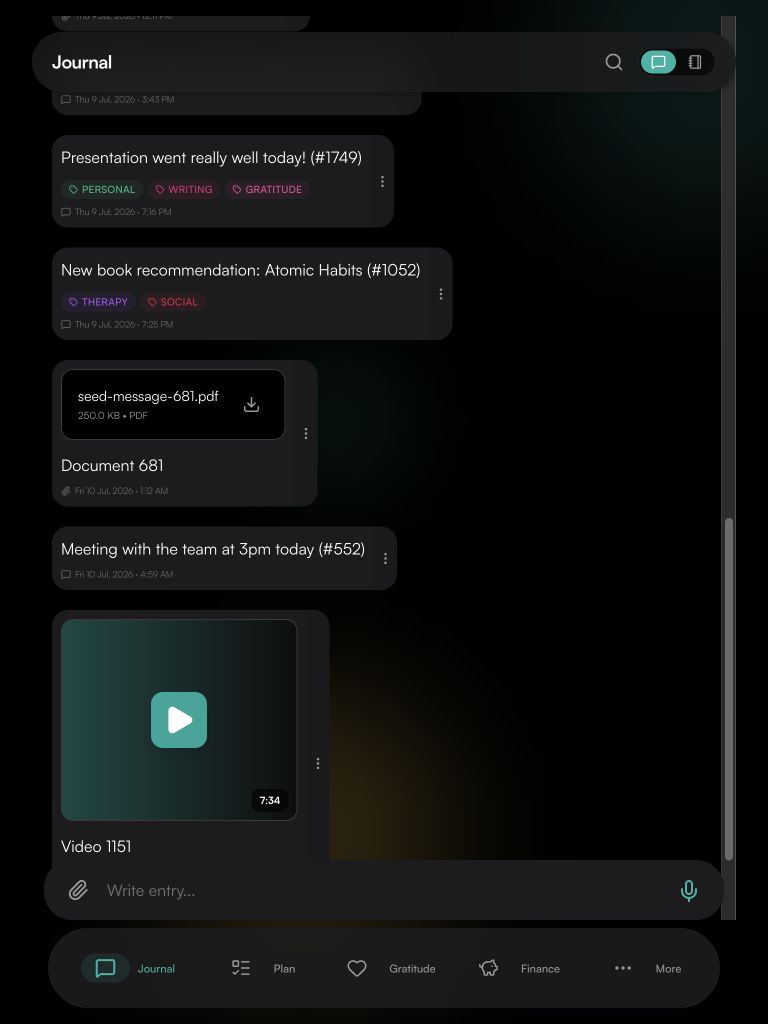
A note belongs to a day
Half the meaning of a note is when you wrote it. The name a doctor gave you, the quote from a conversation, the booking reference: each one makes sense next to the date it happened, not floating in an alphabetical list.
Nothing gets orphaned
Notes sit beside the entry or plan they came out of, so the decision and the reasoning behind it stay together. You stop keeping a second system to explain the first one.
Retrieval, not just capture
Capture is the easy part. Tags and full-text search across every note, attachment name, and transcript are what let you pull up the right thing a year later.
What you can do
A clear answer
What is this for?
Most note apps are built for workspaces: folders, projects, and an endless backlog of things you meant to file. Milogs is built for a life, where a note is usually a by-product of something else. You were reading, or talking, or planning, or unwell, and you wrote something down. It belongs to that moment. Keep it there and it explains itself later, without a taxonomy you have to maintain.
1. Note it where it happened
Write the note on the day, inside the entry it came from, or under the plan it affects. Context captured in the moment is context you never have to reconstruct.
2. Give it a handle
One clear first line or a single tag is enough. The goal is not a perfect filing system; it is that the note has something searchable attached to it.
3. Trust search later
When you need it again, search the phrase, the tag, or the date. Notes kept in context are findable by the thing you actually remember about them.
Frequently asked questions
How is this different from the notes app already on my phone?
The notes app on your phone stores notes in a list. Milogs stores them where they came from: on the date, beside the journal entry, or under the plan they belong to, with tags and full-text search over everything including attachments and voice transcripts.
Can notes and journal entries stay separate?
Yes. A note can be as short as one line and hold nothing else, or it can carry photos, files, links, and a voice note. Your journal stays a journal; notes are just what you keep alongside it.
How do I find a note I wrote months ago?
Search the words you remember, filter by tag, or open the daily timeline and walk back to the period you have in mind. Transcripts from spoken notes are searchable too.
What happens to my notes when I enable sync?
Everything you keep private is end-to-end encrypted when sync is on, media files included. Sync is optional and exists for device redundancy and cross-platform access; Milogs works fully without it. There are no ads, no telemetry, and no data sales.