Life organization
Milogs: Life Organization App That Keeps Everything Connected
Keep your journal, plans and money records together. Use a tag for a trip, a project or a goal, and find the related pieces in one place.
No account needed for local use.
One workspace, not five apps
Most people end up running a journal, a planner, a notes app, a money tracker, and a cloud drive side by side, none of them aware of the others. Milogs is the place where those pieces meet.
Connected instead of filed
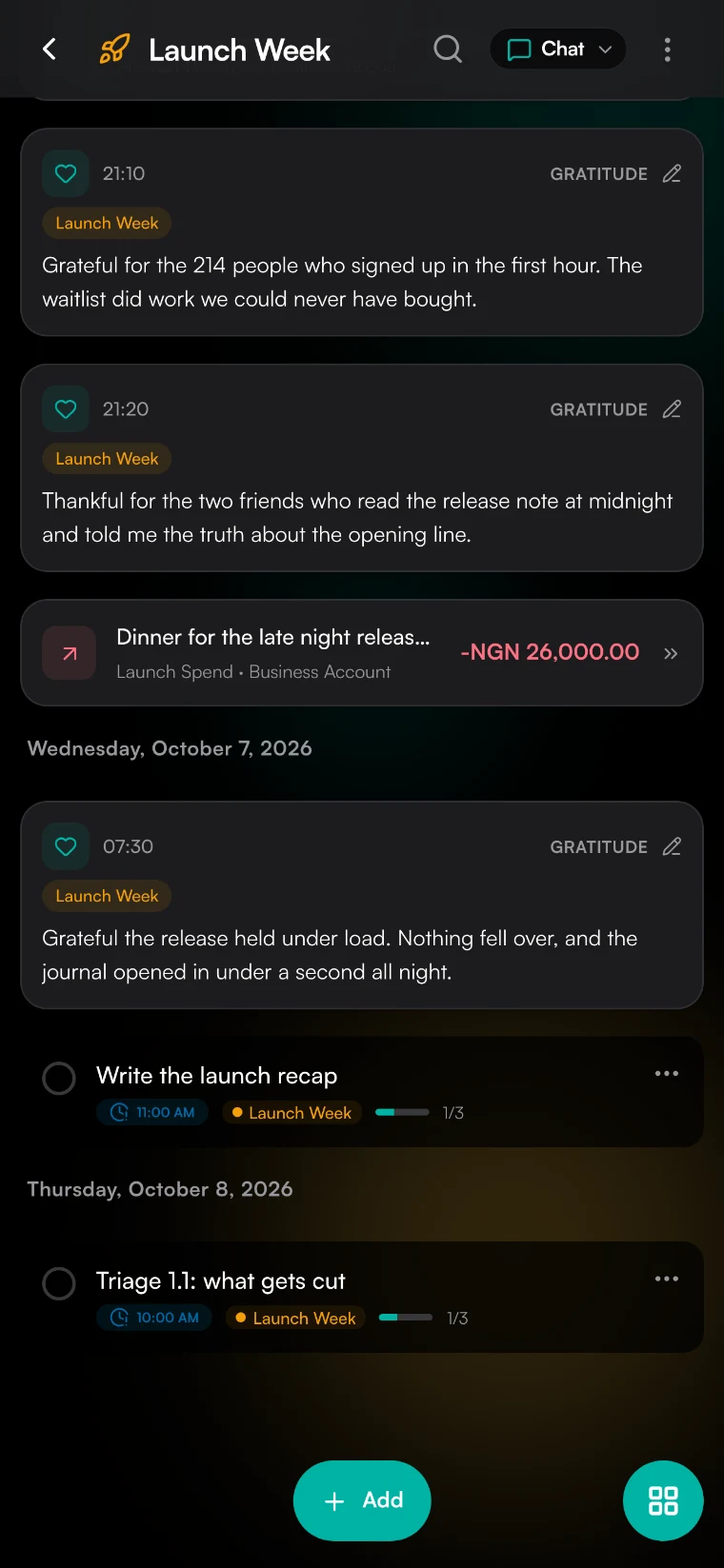
An entry can hold the plan it produced, the photo that explains it, the gratitude note from the same morning, and the money reflection it prompted. Nothing needs copying into a second tool to stay useful.
Private underneath all of it
Local-first storage, no account required to begin, no ads, no telemetry, no data sales. When you do enable sync it is end-to-end encrypted, media files included.
What you can do
Made for your day
How it works
Milogs connects notes, plans, transactions, activity and gratitude through shared tags. A tag opens a timeline of related items, and on-device search helps when you only remember a word.
1. Start with the moment
Write, speak, or attach whatever the day actually brought. You are not choosing a category first, so there is nothing to file wrong.
2. Let one entry branch
Turn part of it into a dated plan with reminders, add a gratitude line, reflect on what it cost, or mark it as a memory worth keeping. It all stays attached to the entry it came from.
3. Find it from anywhere
Search one timeline instead of five apps. On-device AI transcribes voice notes and summarizes entries so they are findable later, and the work happens on your device, not in someone else’s cloud.
Frequently asked questions
What does a life organization app actually organize?
The connections between things, rather than the things themselves. Milogs covers journaling, gratitude, money reflection, memory tracking, planning, recordings, and a daily life log, and keeps them readable as one private record instead of separate accounts with separate histories.
Do I have to choose one category for each entry?
No. An entry can hold a reflection, a photograph, a file, and the plan that came out of it at the same time. Tags and full-text search are what you use to find it later, so you never have to decide in advance which part of your life it belongs to.
Is Milogs end-to-end encrypted?
Yes, for everything you keep private when sync is enabled, media files included. The only exceptions are publicly shared content and blog post media. Local-first storage means you can use the whole app without syncing at all.
What runs on my device, and what happens when I sign in?
Capturing, searching, and reading back run locally, and AI transcription and summarization run on your device. Signing in is optional and adds sync across devices. The administrative side, storage, devices, subscriptions, AI Credits, and sync settings, lives in AMP, the Account Management Platform.
Your next entry starts here
Ready to try it?
Open Milogs and see how this works for you.
Start for free