Journaling
Milogs: Journaling App for Private Daily Reflection
Milogs is a journaling app built around the habit itself. Every day gets one place for the words, the voice note, the photo, and the link you saved, and nothing you write has to leave your device. Start without an account and let the reflection build up.
One timeline instead of five boxes
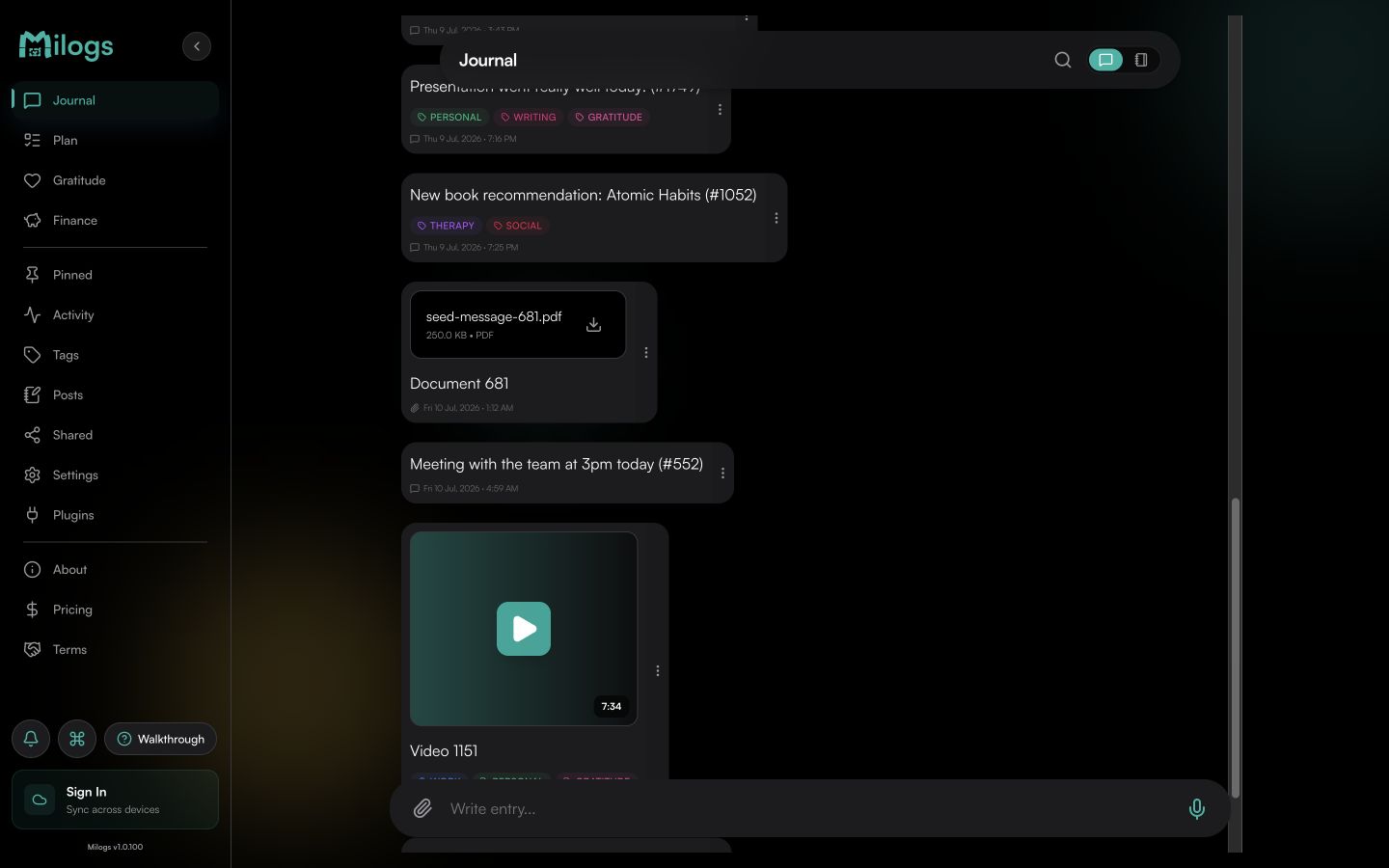
A day holds whatever it actually held. Prose, a photo, a two-minute voice note, and the link you kept meaning to read sit in the same entry rather than in separate apps that never meet.
Reflection that compounds
A journal earns its keep when you can read it back. Tags, full-text search, and a daily timeline mean the entry you wrote in March still answers a question you have in November.
Start tonight, no account needed
There is no signup wall between you and the first entry. Milogs is local-first, so your journal lives on your device from the beginning. Sign in later only if you want sync across devices.
What you can do
A clear answer
What is this for?
This is a journaling app for the practice rather than the filing cabinet. The unit is the day: what happened, what you thought about it, and whatever evidence you want to keep beside it. Write for three minutes or forty, in words or out loud, and let the timeline do the organising. What you get back is not a tidy archive you never open but a record you can actually re-read, because everything you wrote stays findable.
1. Write the day down
Open Milogs and capture whatever is still fresh, while it is still fresh. Type it, dictate it, or attach the photo that says it better than a paragraph would.
2. Name the thread
Give recurring subjects a tag: a person, a project, a health question, a place. A single habit of tagging turns hundreds of entries into something you can follow over time.
3. Read it back
Scroll the daily timeline to see a month at a glance, or search a phrase you half-remember. Reflection compounds only when the old entries are still reachable.
Frequently asked questions
Do I need an account to start journaling?
No. You can open Milogs and write your first entry immediately, with no signup, no email, and no onboarding quiz. Accounts exist only to enable optional sync across devices, and you can add one whenever you want it.
What can I put in a journal entry?
Text, photos, voice notes, saved links, and files all live inside the same entry. You do not have to decide in advance whether a day will be a written reflection, a voice memo, or a picture with a caption. It can be all three.
How do I find something I wrote months ago?
Full-text search looks through every entry and every transcript, tags narrow the results to a theme, and the daily timeline lets you walk back to the date if you remember roughly when it happened.
What happens if I miss a few days?
Nothing breaks and nothing is lost. Milogs keeps a streak to encourage consistency and lets you pin entries you want close at hand, but the journal is there when you come back to it, not keeping score while you are away.